Product 00 — Free firmware
ZROS
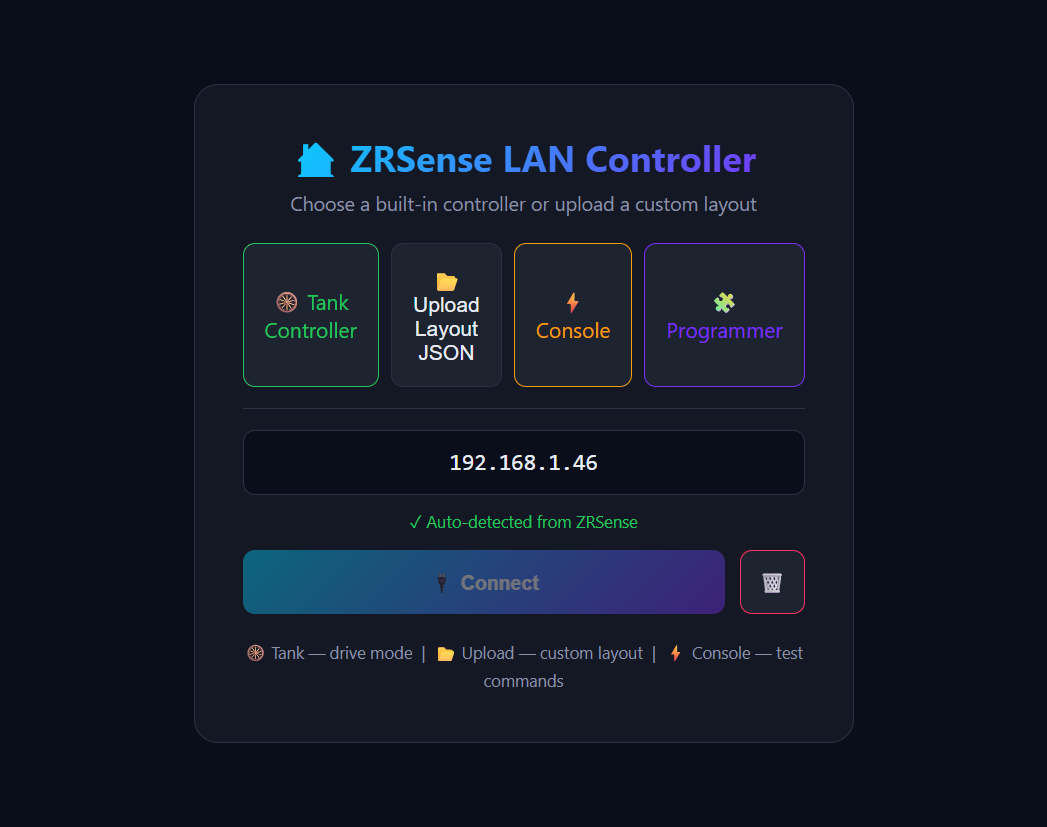
The manual.
The free Zone Robotics firmware for the ESP32-S3. Flash it and you have camera streaming, browser drive controls, a drag-and-drop programmer, RGB, sensors and over-the-air updates — all running on the device. This page walks through every part of it.
CONTENTS
ZROS / 01
Install & flash
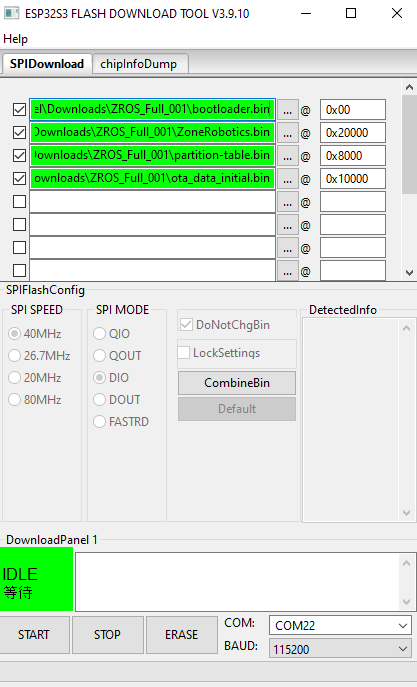
ZROS is a free download. Grab the latest release and flash it onto a Seeed XIAO ESP32-S3 Sense with a USB-C cable — no toolchain or compiler required.
The community guide walks through the steps with the ESP Download Tool: pick the firmware binary, set the flash address, hit download, and you're running ZROS in a couple of minutes.
ZROS / 02
Guided setup
On first boot ZROS runs a setup wizard. It walks you through naming the device, choosing the robot type (car or tank), and getting onto your network — step by step, in the browser.
No config files, no serial terminal. Answer the prompts and the robot configures itself for your build. The walkthrough below covers connecting to Wi-Fi and driving your robot for the first time.
ZROS / 03
Wi-Fi provisioning
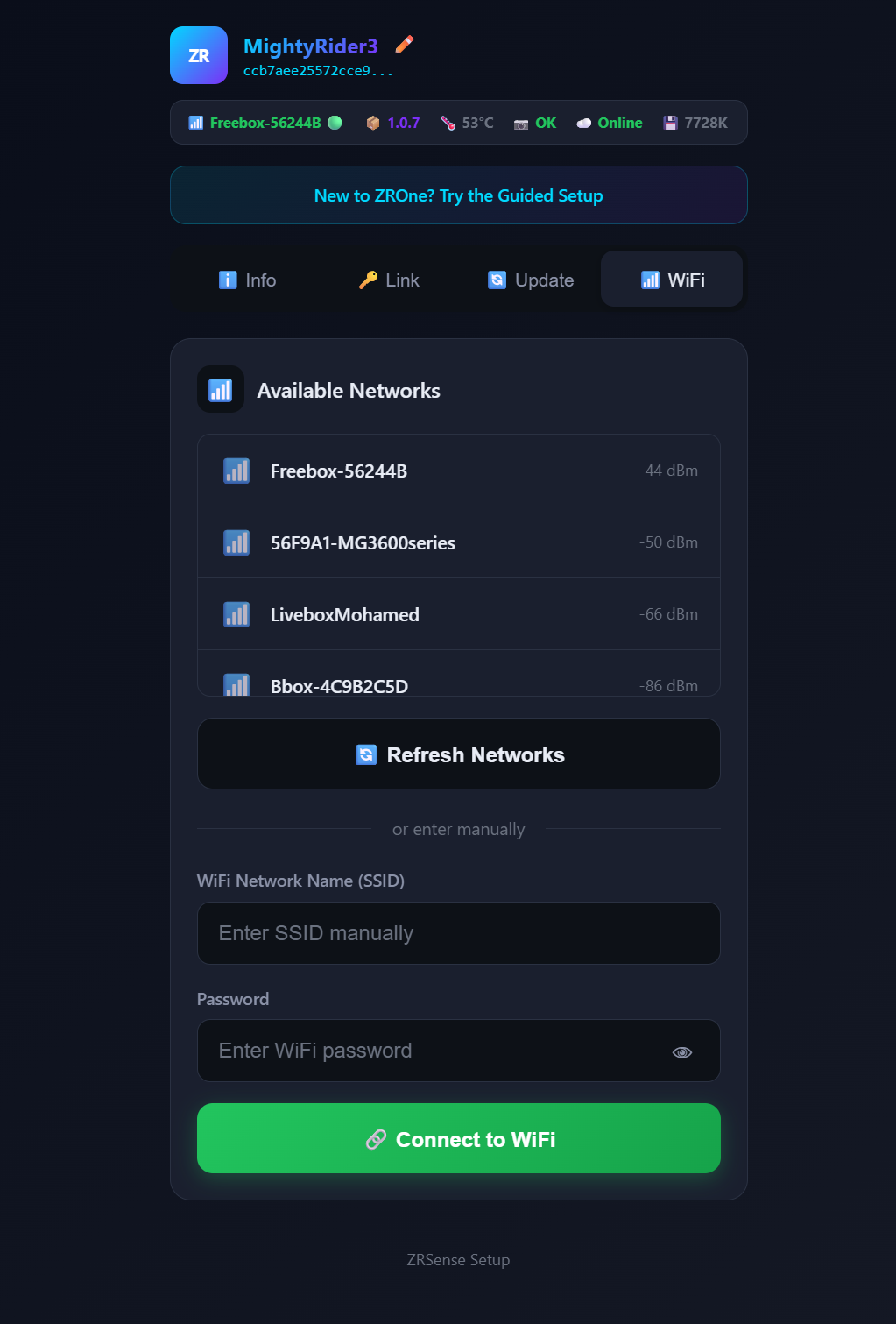
ZROS starts as its own Wi-Fi access point. Connect to it from a phone or laptop, open the browser, and ZROS shows the networks it can see.
Pick your network, enter the password, and the robot joins it. From then on it's reachable on your LAN — and the same screen lets you re-provision any time you move it to a new network.
ZROS / 04
Info page
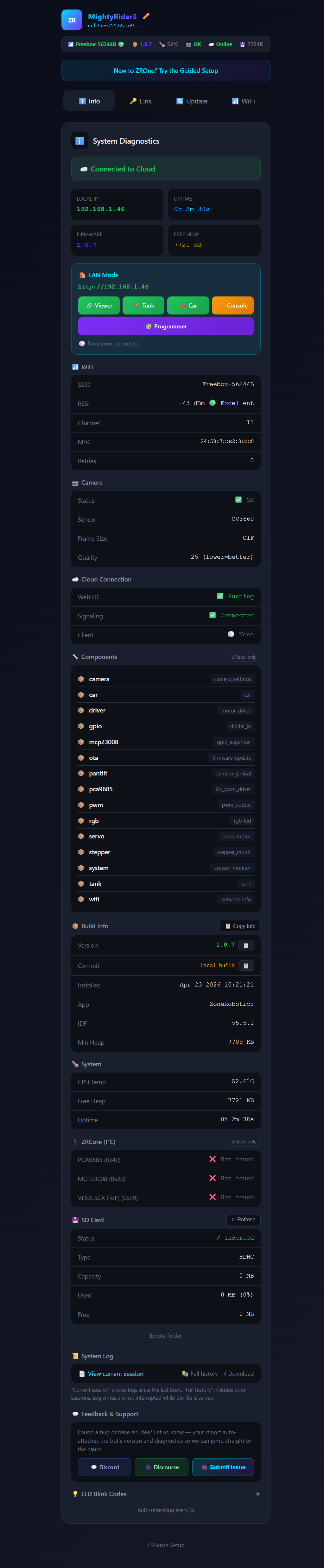
The info page is the robot's dashboard: firmware version, device ID, IP address, uptime, battery and system state — everything you need to confirm the robot is healthy and know how to reach it.
It's the first stop when something isn't behaving, and a quick way to read the device's identity before you share or provision it.
ZROS / 05
Car driver
For steered builds like ZRCar, the car driver gives you throttle and a steering control, plus camera tilt, headlight, laser and the RGB array — all over a low-latency link.
Fine-grained PWM means smooth, proportional control instead of jerky on/off — important when you're lining up a precise move with the live camera feed in front of you.
ZROS / 06
Tank driver
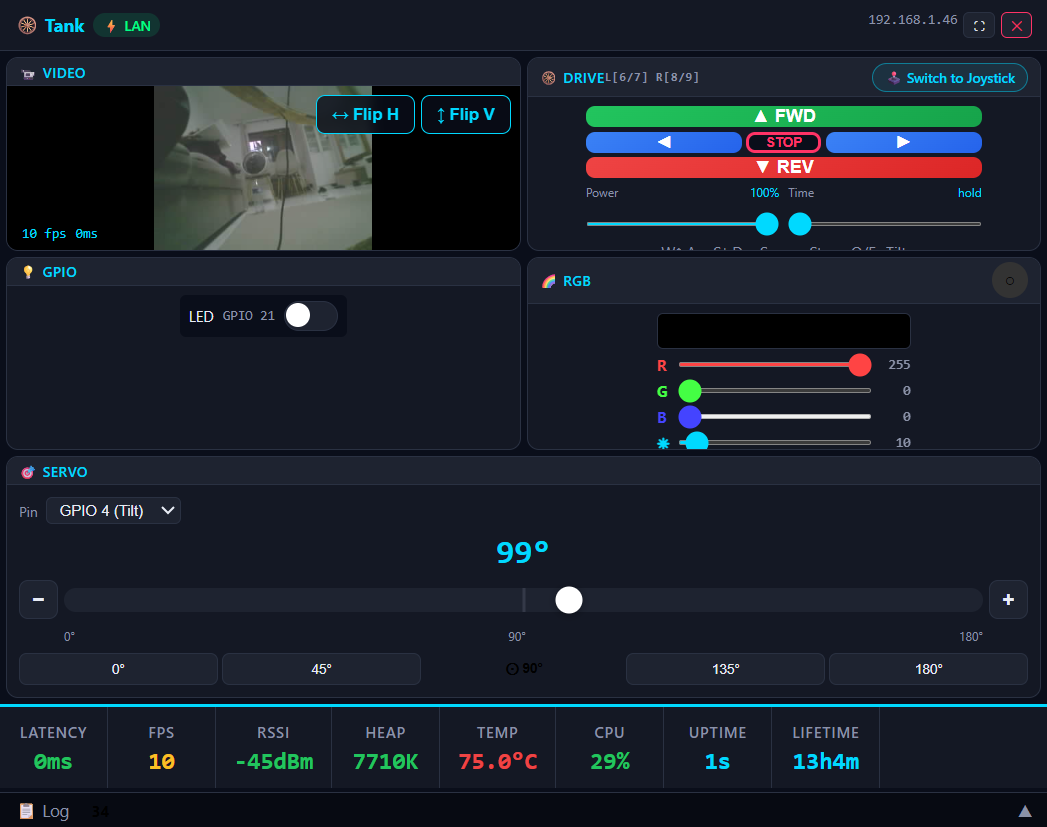
For tracked builds like ZRTank, the tank driver switches to independent left/right track control — tank steering — so the robot can turn in place and crawl over uneven ground.
Same live video, same lights and sensors; the control surface adapts to how the robot actually moves.
ZROS / 07
Camera viewer
Live video streams straight from the ESP32-S3 Sense camera into the browser — low latency on the local network, so you can drive by what the robot sees.
Pan and tilt (when a servo is fitted), and keep an eye on the feed while you build out custom controls around it.
ZROS / 08
Programmer
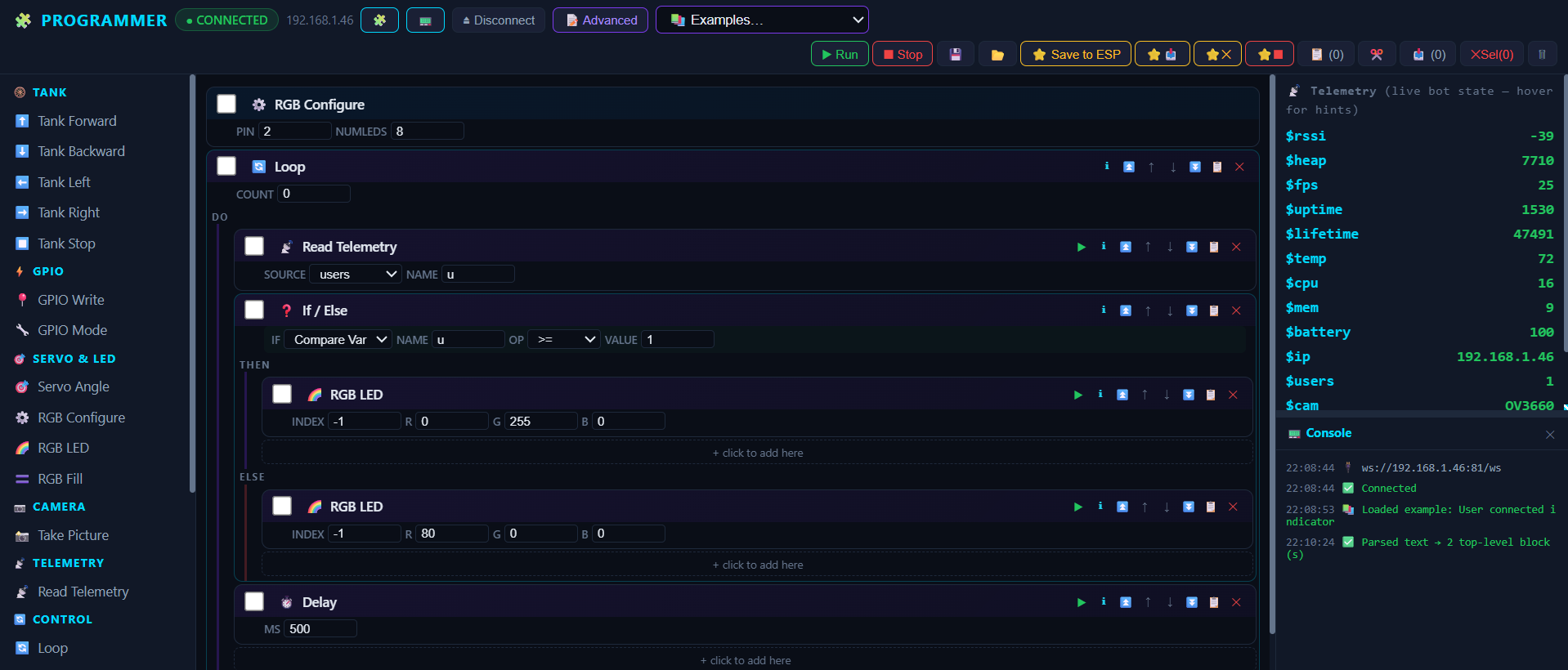
The programmer is a drag-and-drop layout creator. Place buttons, sliders, joysticks, sensor readouts and camera panels, wire them to the robot's channels, and build exactly the control surface your robot needs.
Layouts are saved on the device, so your custom interface comes back every time you connect — no rebuilding.
ZROS / 09
Console
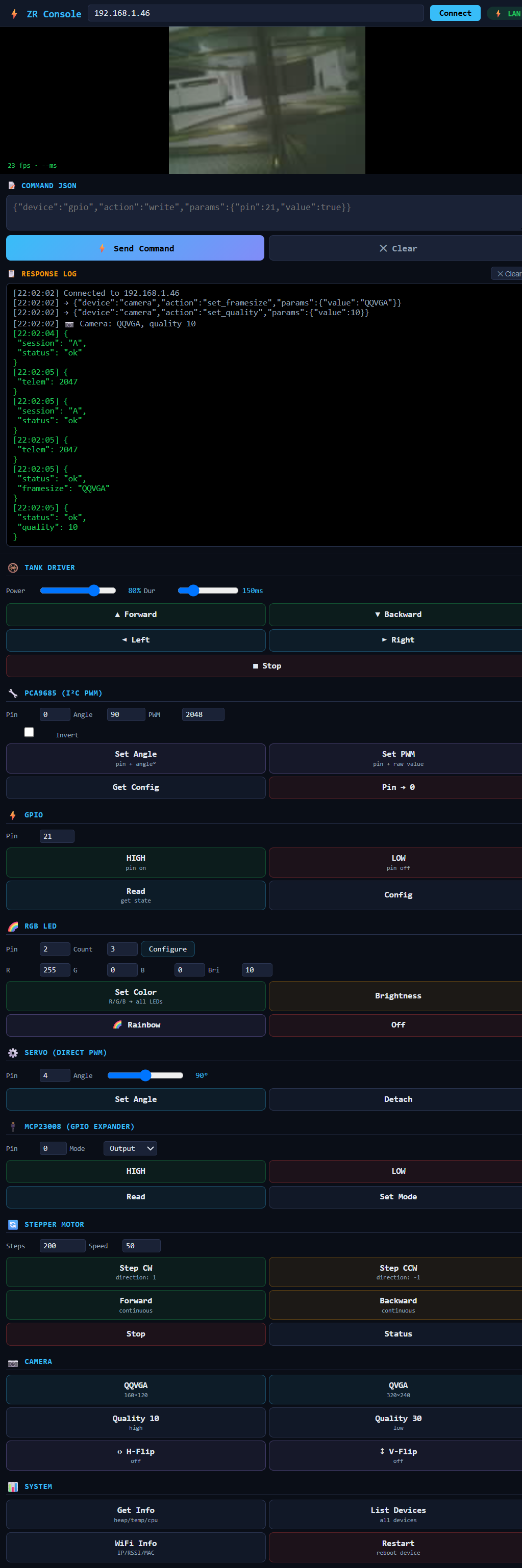
The console is the direct line to the robot: send commands, watch live telemetry and sensor values stream back, and inspect exactly what the hardware is doing.
It's the power-user view — handy for debugging a build, testing a servo channel, or learning the command protocol before you automate it.
ZROS / 10
Updating ZROS
ZROS updates over the air. When a new release lands, point the robot at the update and it pulls and installs the new firmware itself — no cable, no re-flash.
Keep an eye on the releases page for new features and fixes.